

Early access · built and tested with our own fleet in Texas
Your whole fleet, in one yard.
Due dates, maintenance by miles, parts, work orders, fuel, costs per truck and IFTA, together for the owner and the office. On the computer and on the phone.
We reply within 1 business day. info@novaprodigital.com
Every morning
Three questions, answered before the first truck rolls
What’s due?
IRP, UCR, 2290, MCS-150, IFTA, insurance, inspections and your drivers’ CDL and medical cards, with reminders before they expire.
What’s in the shop?
Open work orders, trucks out of service and maintenance that is coming up or overdue, by miles or by days.
What costs more than usual?
Cost per truck by month, fuel by week and fills flagged for review. Never as an accusation: as something to check.
Features
Everything the office keeps track of, in one place
Each part works on its own and they all feed each other: a work order takes parts out of inventory, restarts the maintenance plan and adds to the truck’s cost.
Due dates and reminders
Company, truck, trailer and driver due dates in one list, with a daily email summary at 7:00 a.m. Texas time.
- IRP, UCR, 2290, MCS-150 (worked out from your USDOT number), IFTA, insurance and inspections
- CDL, medical certificate, annual MVR and Clearinghouse for each driver
- Reminders at 60 days (IRP and UCR), 30, 15 and 5 days, and weekly once overdue
Maintenance by miles
Service plans by truck model year, with odometer readings that are checked before they count.
- Service A, B, greasing, trailer brakes… whatever comes first: miles or days
- “Coming up” and “overdue” for every unit
- Open a work order straight from an overdue plan
Parts and inventory
Every part, where it is (your warehouse trailers and the shop) and every movement in a ledger.
- Purchases, transfers and adjustments with a reason
- Minimum stock alerts
- Average cost recalculated from the ledger, so a typo can be undone
Work orders
In-house and outside shops, numbered automatically, with parts, shop hours and other expenses.
- Closing it takes the parts out of inventory and restarts the maintenance plan
- Outside shop invoice attached to the order
- Nothing is deleted: an order is voided and everything goes back
Fuel
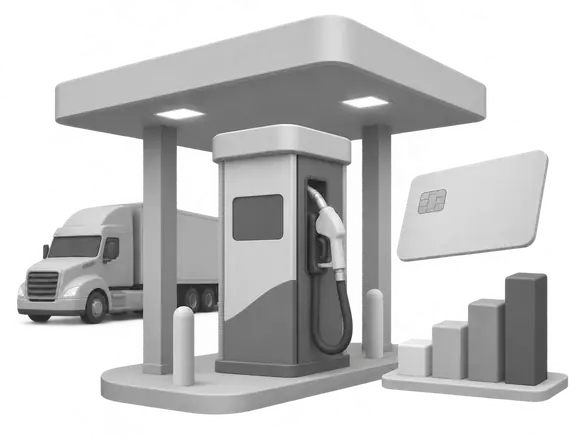
Import your fuel card report and see fuel by truck and by driver, week by week, with DEF kept apart.
- Relay reports, reviewed in a draft before they count (Comdata coming soon)
- Each card linked to its truck, with dates
- Fills to review: bigger than the tank, back to back, split, another truck, unusual product or place
Cost per truck
What each truck and trailer costs by month and by year: parts, outside shops, other expenses, fuel and DEF.
- Shop hours shown apart, never turned into money without a rate
- Cost per mile when there are readings at both ends of the period
- Export to CSV for your accountant
Invoices read by AI
Scan a receipt with your phone or upload a PDF. The AI reads it and a person confirms it before anything changes.
- Supplier, date, number, lines and totals, with checks that the numbers add up
- Becomes a parts purchase or the invoice of an outside shop order
- The AI never writes to your inventory on its own
Drivers, users and roles
Company drivers and Owner operators with only the data you need. Owner, office and accountant, each with their own access.
- No date of birth or Social Security number; license and medical card visible only to the owner and the office
- The accountant sees costs and fuel, and changes nothing
- Every change is recorded: who, what and when
IFTA
Your quarterly IFTA, ready to type into Webfile
Miles by state from your Motive report, gallons from your fuel card imports, and the official quarterly rates. YardaFleet checks what is missing before it gives you a result.
- Forms 56-102 and 56-101, line by line, and “Data for the Texas Comptroller” in the order Webfile asks for it
- What each truck owes, so the trucks add up to the return
- Checks before the result: states you drove through without miles, trucks with miles and no gallons, fills with no state
- Mark it as filed and keep a frozen copy; if the data changes later, it tells you an amended return may be needed
Not tax advice: the office reviews the result before filing. Texas forms today.
Tested against a real filed quarterly return: same result, state by state, to the cent.
Getting started
A guided setup, one step at a time
Fill it in with examples and defaults, stop whenever you want and continue another day. When you finish, YardaFleet works out every due date and maintenance plan.
01
Company
USDOT, MC, base state and your UCR, 2290 and insurance dates.
02
Trucks and Trailers
From a CSV file (save it from Excel), or one by one.
03
Maintenance
Service plans by truck model year, from a ready-made template.
04
Warehouses and parts
Your warehouse trailers and shop, the parts you keep and their minimums.
05
Fuel
Which day your week starts and which card each truck uses.

06
Owner operators
Their annual inspection and when their contract ends.

07
Users
Invite the office and your accountant, each with their own role.
08
Ready
Every due date and plan, worked out and on your home screen.
Works with what you use
Bring in the reports you already download
Today
- Relay fuel report (CSV)
- Motive IFTA distance summary (CSV)
- Trucks and Trailers from a CSV file (save it from Excel)
Coming soon
- Comdata real-time transactions (CSV)
- Direct connections to your ELD and fuel cards
- Fuel reports by email, imported on their own
Brand names belong to their owners and are used only to say which reports YardaFleet can read.
Security
Your fleet’s data, kept like it matters
One database per company
Each company has its own database, and every release is tested so one company can never see another’s data.
Password and a second step
Sign in with a password and a code from an authenticator app or by email; passkeys too, if you want them.
Every change on the record
An append-only, chained log of who did what and when. Nothing is deleted: units are retired, orders are voided.
Private files in the United States
Documents and invoices are stored privately in the US and only open after signing in, with your role checked.
Recovery and reviews
Point-in-time recovery for the last 30 days, and a separate security review of every module before it ships.
Only the data you need
No dates of birth or Social Security numbers. Driver licenses and medical cards, only for the owner and the office. Nothing personal in technical logs or web addresses.
Built in Texas
Made with a real fleet, not in a vacuum
YardaFleet was designed with a Texas carrier that showed us how a fleet really works, from the yard to the office, and it is tested with our own fleet. It is built by Nova Pro Digital in Plano, Texas, the same team behind TAXESPRO.
FAQ
Questions owners ask
Who is YardaFleet for?
Small and mid-size trucking companies: the owner and the office, with their own trucks and their Owner operators.
Do my drivers need an account?
Not today. YardaFleet is for the owner, the office and your accountant. Drivers appear in it with only the data the office needs.
Does it work on the phone?
Yes. It runs in the browser on the computer and on the phone, in English and Spanish.
Do I have to type everything again?
No. The setup takes your trucks and trailers from a CSV file (save it from Excel), and fuel and IFTA come from the reports you already download.
Is the IFTA result tax advice?
No. YardaFleet does the math and the checks; the office reviews the result before filing.
How much does it cost?
We’ll share pricing in your demo.
Is it available now?
It is in early access: built and tested with our own fleet in Texas. Request a demo and we’ll show it to you with your fleet in mind.
See YardaFleet with your fleet in mind
Tell us how many trucks and trailers you run and what you track today. We’ll show you the parts that matter to you.
We reply within 1 business day. info@novaprodigital.com